
Brick townhouse
Modernize details without erasing character
Coordinate window color, entrance lighting, steps, trim, and planting around existing masonry.
Explore siding, masonry, windows, entrances, colors, and architectural character on a real exterior before materials are ordered.

Design direction
Exterior direction · Material refresh
Exterior Design AI
Upload a facade or describe a property, select the building context and style, then compare realistic exterior concepts.
Your design brief
Upload your space photo
JPG, PNG, or WebP up to 50 MB. Clear, well-lit photos give the strongest results.
Large files are optimized before upload.
0/600
Credits are reserved before generation and failed options are refunded automatically.
Example preview
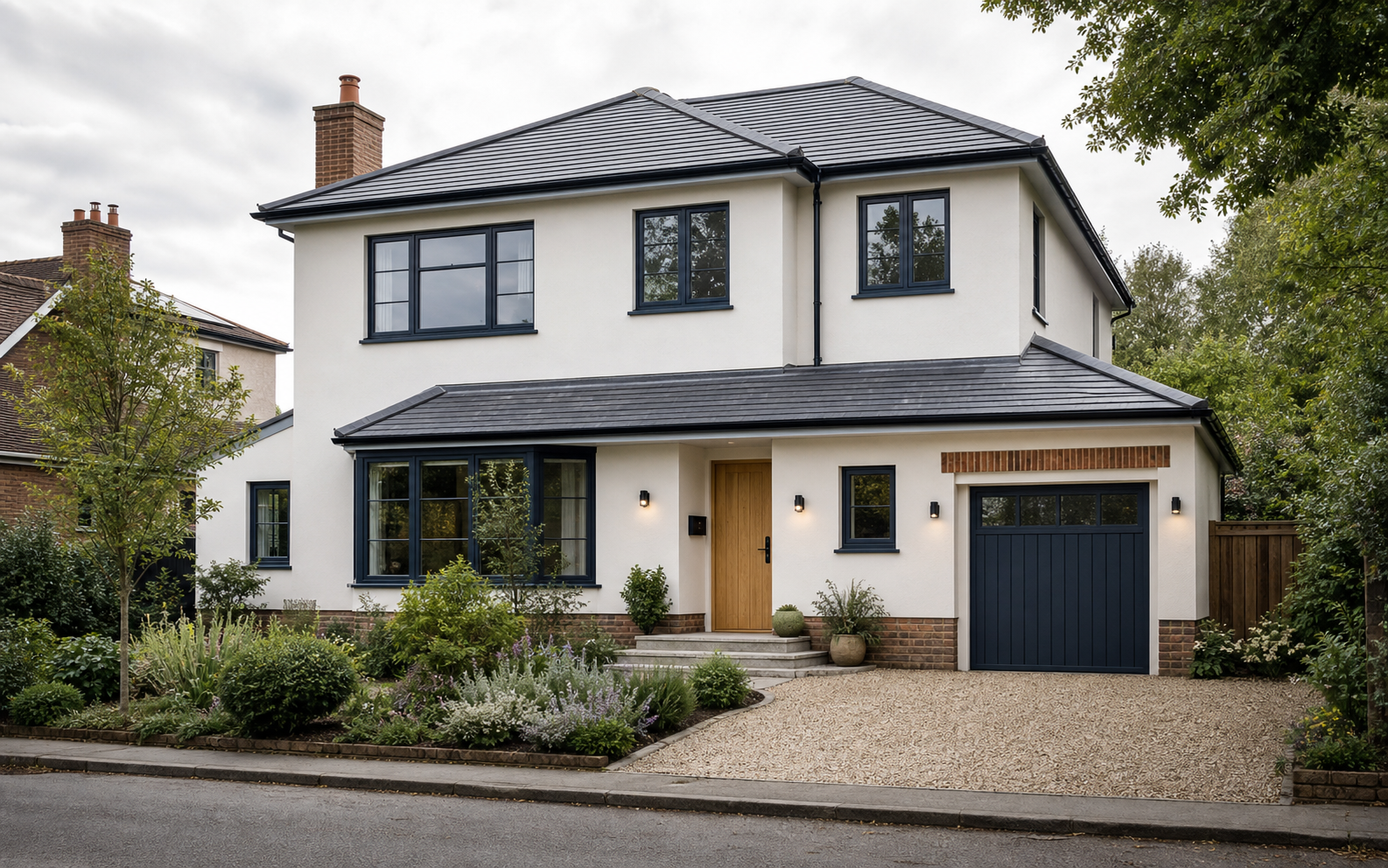 Demo input
Your results will appear here
Choose a space, style, and model. Your generated options will appear here.
Current brief
Facade and curb appeal ideas
Explore buildable-looking exterior directions across brick homes, coastal houses, ranch facades, and commercial entrances.
Brick townhouse
Coordinate window color, entrance lighting, steps, trim, and planting around existing masonry.

Coastal home
Test roof, siding, porch, landscape, and entry materials as a complete coastal facade.

Mid-century ranch
Compare stone, timber, paint, path, and native planting while keeping the low roofline clear.

Commercial exterior
Explore masonry, glazing, lighting, planters, and canopy proportions for a compact storefront.
Plan the facade before construction
Make material, color, entrance, and landscape choices visible before samples are ordered or exterior work begins.
01 / 03
Test brick, stone, stucco, timber, fiber cement, and mixed-material directions while keeping the real property as the reference.
Redesign my exterior02 / 03
Show how paint, windows, lighting, entrance details, planting, and hardscape should work together instead of pricing isolated upgrades.
Redesign my exterior03 / 03
Give clients or partners a realistic view of masonry, glazing, canopy, lighting, and planter changes before detailed storefront design.
Redesign my exteriorExterior Design AI capabilities
Create focused house exterior concepts with control over building context, materials, season, and light.
Set the context for house fronts, rear facades, patios, balconies, pool areas, and commercial exteriors.
Explore painted stucco, natural stone, brick, timber cladding, fiber cement, or coordinated mixed materials.
Tell Exterior Design AI whether the photo shows the front, side, rear, or corner so the brief matches the viewpoint.
Compare the same exterior direction in spring, summer, autumn, winter, daylight, golden hour, dusk, or night.
The generation brief prioritizes the existing massing, roofline, openings, perspective, and recognizable building identity.
Review material transitions, windows, entrances, lighting, and planting at a resolution suitable for project discussions.
A facade-focused workflow
Turn one property photo into comparable exterior directions in three steps.
Choose a clear photo that shows the facade, roofline, openings, and surrounding ground with minimal visual obstruction.
Choose the building context, design style, viewpoint, material, season, light, model, and resolution.
Generate up to four exterior options, inspect material and architectural changes, then refine the strongest direction.
Typical exterior workflows
Composite examples showing how facade concepts improve early renovation and presentation conversations.
Homeowner restoring a brick townhouse
“I wanted the entrance to feel current without painting over everything that gave the house character. The comparisons made that balance visible.”
Tested window color, entrance lighting, steps, and planting while retaining brick.
Real estate agent preparing a dated listing
“The concept showed buyers a credible curb appeal update without pretending the renovation had already happened.”
Created a clearly labeled exterior visualization from the original listing photo.
Architect exploring an early facade direction
“It gave the client something concrete to react to before we committed time to modeled elevations and a complete material schedule.”
Compared timber, masonry, and fiber-cement directions during concept discussion.
Explore more design tools
Move between whole-home, room, exterior, garden, and kitchen design tools while keeping one consistent workflow.

Plan interiors, exteriors, and gardens in one connected studio.
Open tool
Generate fast room makeovers from a photo or written idea.
Open tool
Explore furniture, finishes, color, lighting, and room atmosphere.
Open tool
Visualize planting, paths, patios, seating, and outdoor character.
Open tool
Redesign cabinets, counters, backsplash, lighting, and kitchen finishes.
Open toolExterior Design AI questions
Answers about building types, structural preservation, materials, realism, and professional use.
Exterior Design AI turns a property photo or written brief into visual facade concepts. It helps compare materials, colors, entrances, windows, lighting, and curb appeal before detailed exterior design begins.
The tool supports common residential facades, rear elevations, patios, balconies, pool areas, and commercial exteriors. Clear, unobstructed photos generally produce the most useful concepts.
The prompt asks the model to keep the building massing, roofline, doors, windows, openings, viewpoint, and perspective. Image models may still change details, so outputs must be treated as concepts rather than accurate elevations.
Yes. Guided options include existing materials, painted stucco, natural stone, red or painted brick, timber cladding, fiber cement, and mixed-material directions. Custom instructions can add more detail.
Yes, as an early visualization and communication aid. It does not replace measured surveys, architectural drawings, structural advice, permit review, specifications, or professional material selection.
You may use generated images when you own or have permission to use the source photo. Follow local listing rules and clearly disclose that the image is a conceptual or AI-redesigned visualization.
Upload a facade photo and compare materials, style, entrance, and curb appeal before exterior work begins.
Try Exterior Design AI