
Living room
Create a warmer place to gather
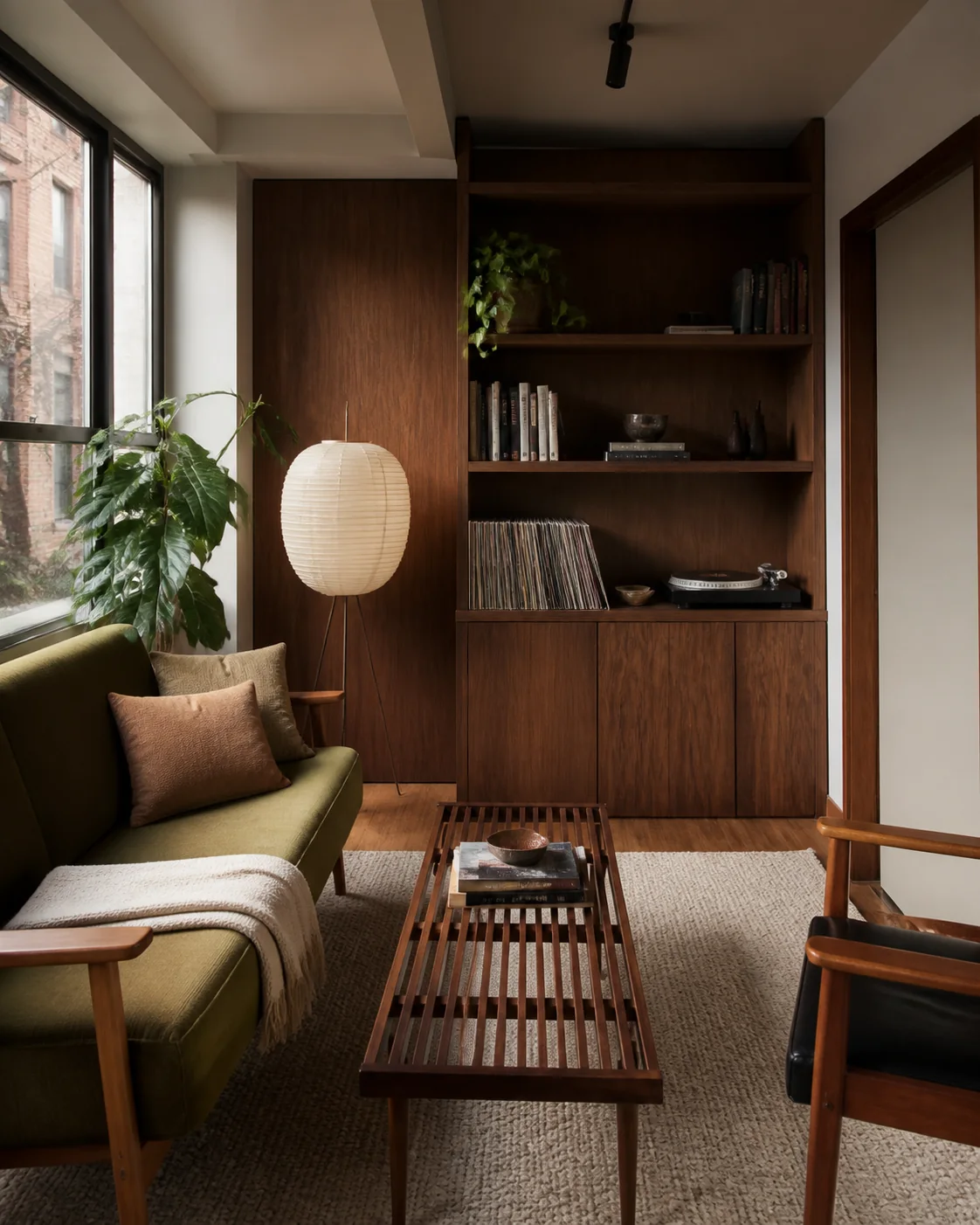
Compare seating, rugs, lighting, color, and wall treatments as one complete room direction.
Upload any room, choose a style, and turn it into realistic design ideas in seconds. Compare furniture, color, lighting, and finishes before you decorate or renovate.

Design direction
Room makeover · Collected modern
Free AI Room Design generator
Upload a room photo or start with a written idea, choose a visual style, add the details that matter, and generate several room designs to compare.
Your design brief
Upload your space photo
JPG, PNG, or WebP up to 50 MB. Clear, well-lit photos give the strongest results.
Large files are optimized before upload.
0/600
Credits are reserved before generation and failed options are refunded automatically.
Example preview
 Demo input
Your results will appear here
Choose a space, style, and model. Your generated options will appear here.
Current brief
One tool for different rooms
See how the same simple workflow can reshape rooms with different functions, proportions, light, and decorating needs.
Living room
Compare seating, rugs, lighting, color, and wall treatments as one complete room direction.

Bedroom
Explore a more restful balance of storage, bedside lighting, textiles, and natural materials.

Bathroom
Preview tile, stone, timber, vanity, fixtures, and lighting before choosing individual products.

Dining room
Test table scale, chairs, pendants, artwork, and color for everyday meals and larger gatherings.
Make room decisions visible
Turn a familiar room into several clear directions while furniture, finishes, and colors are still easy to change.
01 / 03
Ask AI Room Design to keep important pieces while testing a different palette, lighting mood, or decorative direction.
Design my room02 / 03
Compare wall color, flooring, tile, timber, textiles, and metal finishes in one visual room concept.
Design my room03 / 03
Generate multiple room designs from the same source so feedback begins with visible tradeoffs instead of vague style labels.
Design my roomAI Room Design capabilities
Keep the workflow fast while controlling the style, prompt, model, resolution, and number of room concepts.
Redesign living rooms, bedrooms, bathrooms, dining rooms, kitchens, offices, basements, and other indoor spaces without a separate room selector.
Choose from Japandi, Scandinavian, contemporary, quiet luxury, mid-century, Art Deco, and other room styles.
Explore coordinated layouts, furniture character, lighting, wall treatments, flooring, textiles, and decor.
Use a real room photo for a grounded makeover, or describe a new room concept from scratch with a written prompt.
Name colors, materials, objects to preserve, storage needs, or specific features you want the room design AI to include.
Generate up to four 2K or 4K room designs, compare the results, and download the strongest direction.
From room photo to new direction
Create a realistic room makeover in three focused steps without drawing a floor plan or learning design software.
Use a clear photo showing the main walls and openings, or switch to text mode and describe the room you want to create with AI Room Design.
Pick a visual style, model, resolution, and image count, then add optional instructions about color, furniture, or elements to keep.
Review several concepts, download a useful option, or adjust the style and prompt to explore another direction.
Typical room makeover scenarios
Composite workflows showing how different room decisions can become easier to compare before money is committed.
Living room used for relaxing, dining, and work
“Three visual directions make it easier to compare zoning, storage, and seating without buying furniture first.”
A composite workflow based on a narrow multipurpose living room.
A reversible refresh with no construction
“The brief focuses on textiles, freestanding storage, lighting, and color while keeping the existing floor and walls.”
A composite workflow for low-commitment bedroom changes.
Early material and atmosphere comparison
“Seeing stone, vanity color, fixtures, and light together exposes combinations that do not work before samples are ordered.”
A composite planning workflow; measurements and technical design remain separate.
Explore more design tools
Move between whole-home, room, exterior, garden, and kitchen design tools while keeping one consistent workflow.

Plan interiors, exteriors, and gardens in one connected studio.
Open tool
Explore furniture, finishes, color, lighting, and room atmosphere.
Open tool
Compare facade materials, entrances, colors, and curb appeal.
Open tool
Visualize planting, paths, patios, seating, and outdoor character.
Open tool
Redesign cabinets, counters, backsplash, lighting, and kitchen finishes.
Open toolAI Room Design questions
Answers about free credits, supported rooms, photos, realism, customization, and practical use.
AI Room Design is an online generator that turns a room photo or written description into visual makeover concepts. It helps you compare furniture, color, finishes, lighting, and atmosphere before decorating or renovating.
Yes. New accounts receive free credits that can be used to generate room designs. The studio shows the credit cost before each generation, with higher resolutions and additional images using more credits.
You can upload living rooms, bedrooms, bathrooms, dining rooms, kitchens, home offices, basements, attics, and other indoor spaces. A clear image with the room visible usually produces the most useful result.
The generator asks the model to retain the source viewpoint, walls, doors, windows, and major openings. Image models can still change details, so treat every output as a visual concept rather than a measured plan.
Yes. Add instructions for furniture or materials to preserve, colors to avoid, storage needs, lighting, or a specific feature. Visual preservation is requested but cannot be guaranteed in every generated image.
No. It is useful for early ideas and communication, but it does not provide measurements, technical drawings, product specifications, building-code review, or professional construction advice.
Upload a photo, choose a style, and compare results from AI Room Design before making expensive decorating or renovation decisions.
Try AI Room Design Free