LogoHome Design AI
  • Home
  • Inspiration
  • Blog
  • Pricing
LogoHome Design AI

Visual design directions for interiors, exteriors, and gardens — built from your real space.

[email protected]
Product
  • Home
  • Pricing
  • Ideas
  • Blog
Design Tools
  • Interior Design AI
  • Exterior Design AI
  • AI Garden Design
  • AI Kitchen Design
  • AI Interior Style Transfer
  • Room Design AI
Legal
  • Privacy Policy
  • Terms of Service
  • Refund Policy
  • Acceptable Use Policy
© 2026 Home Design AI. All Rights Reserved.Concept images are not construction plans.

Two images, one coherent room direction

AI Interior Style Transfer for Your Real Space

Upload a photo of your room, add an interior you love, and translate its palette, materials, furniture language, and atmosphere into a design grounded in your own space.

Transfer a StyleHow It Works
  • Source + reference control
  • Adjustable transfer strength
  • 2K and 4K results
Bedroom used as an interior style transfer source room

Your room

Warm contemporary living room style reference and result concept
Transferred direction

Reference palette

AI interior style transfer studio

Bring One Room’s Style into Another

Use one image for the room geometry and another for the visual direction. Adjust how strongly the reference influences the result before you generate.

1. Upload your room

Use a clear, straight-on photo of the space you want to redesign.

2. Add a style reference

Choose an interior with the colors, materials, and mood you want.

Model

Resolution

Controls are prompt-based guidance, not pixel-perfect architectural locks. Verify details before real-world work.

Transferred result

Your new interior direction

Your result will appear hereAdd a source room and a style reference, then generate one clear concept to review.

Three connected capabilities

See Interior Style Transfer in Action

See how the workflow reads a reference, translates its visual language, and uses the source room as structural guidance. Each capability is paired with the image evidence it explains.

Reference analysis

Intelligent Style Recognition

The model reads the reference as a combination of palette, materials, furniture character, surface texture, and lighting mood—not as a single generic style label.

  • Dominant color palette
  • Material and texture cues
  • Furniture design language
  • Lighting atmosphere
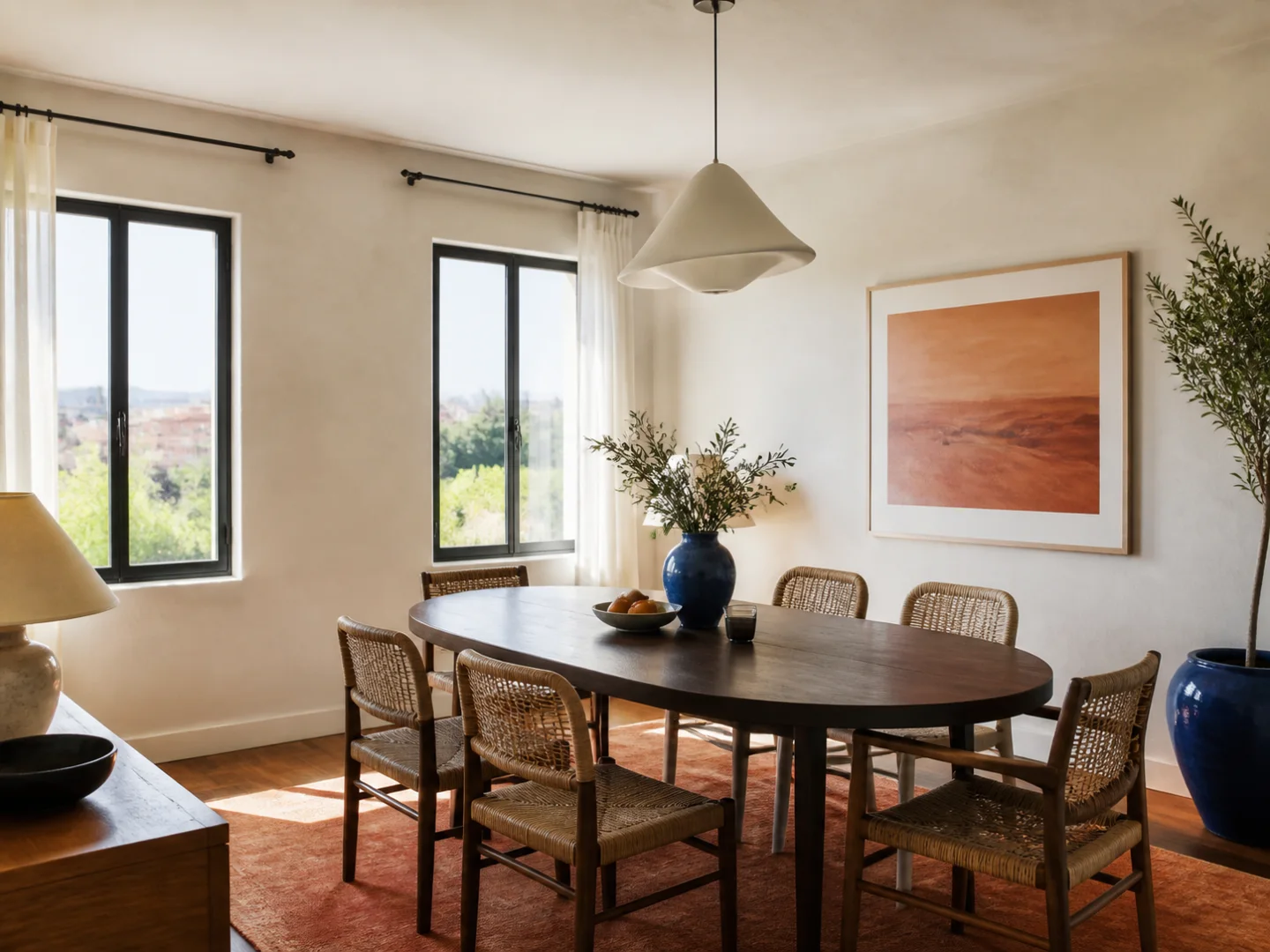
Dining room reference with extracted style palette
Palette · materials · mood
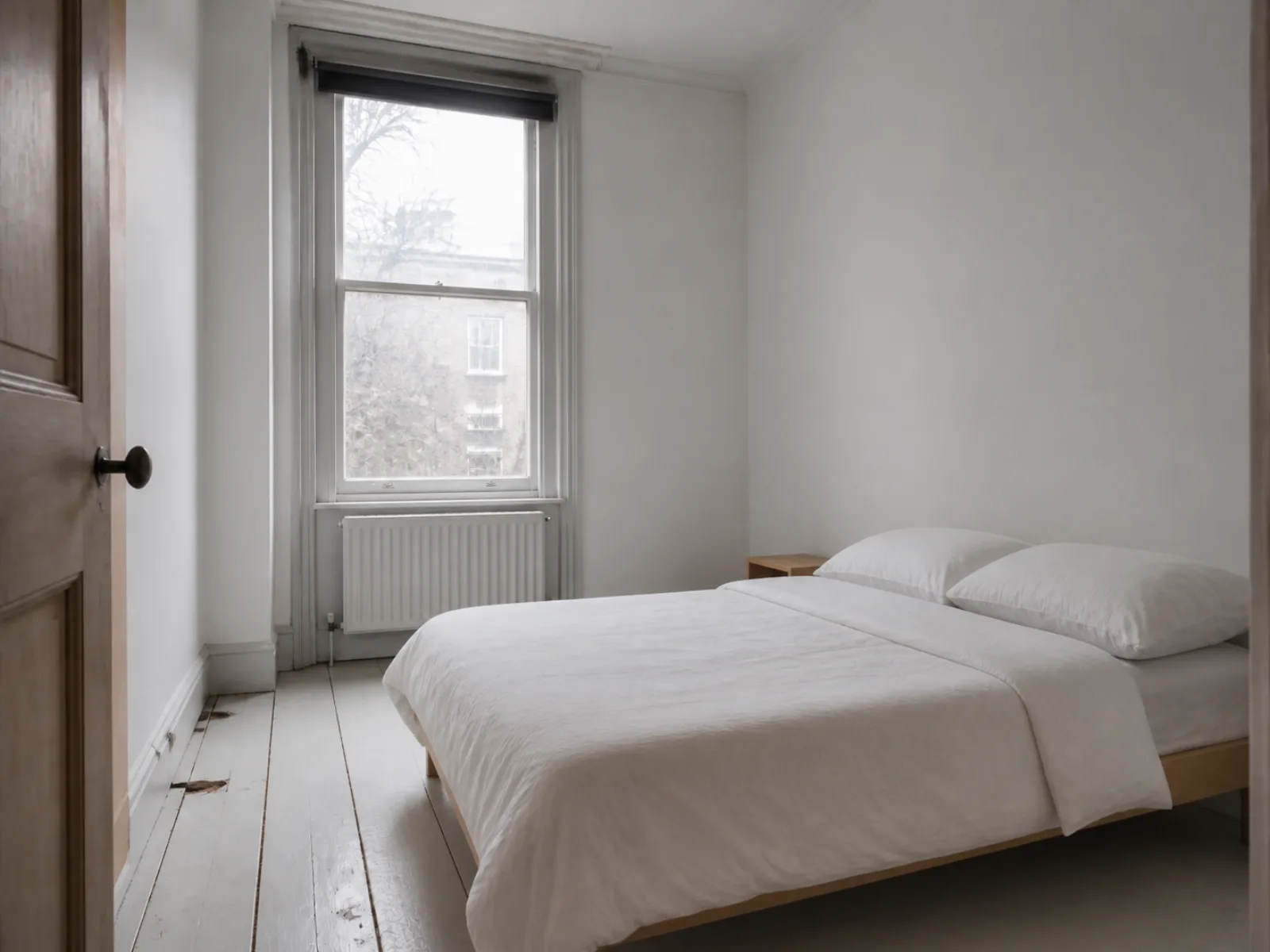
Plain bedroom before interior style transferBefore
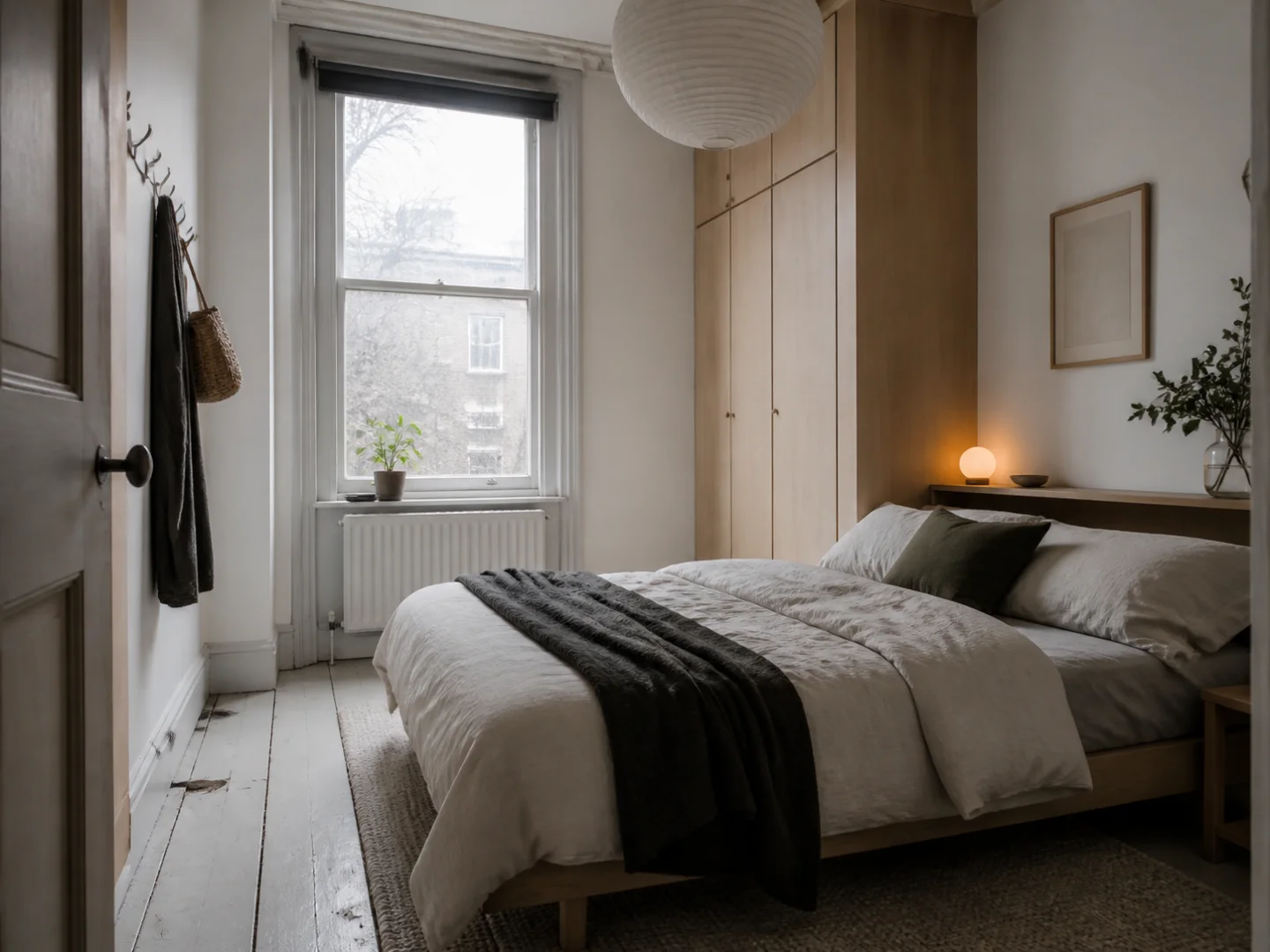
Warm Japandi bedroom after interior style transferAfter

Before and after

Seamless Style Transformation

The source bedroom supplies the spatial context while the reference guides a warmer Japandi interpretation. Compare the same room before and after the transfer.

  • Adjustable transfer strength
  • Reference color intensity control
  • Furniture and finish reinterpretation
  • 2K and 4K output options

Source-room guidance

Layout Preservation Guidance

Preserve Layout asks the model to respect the source viewpoint, openings, circulation, and major placement while changing the visual style.

  • Camera angle and perspective
  • Window and door locations
  • Circulation and room zones
  • Major furniture placement
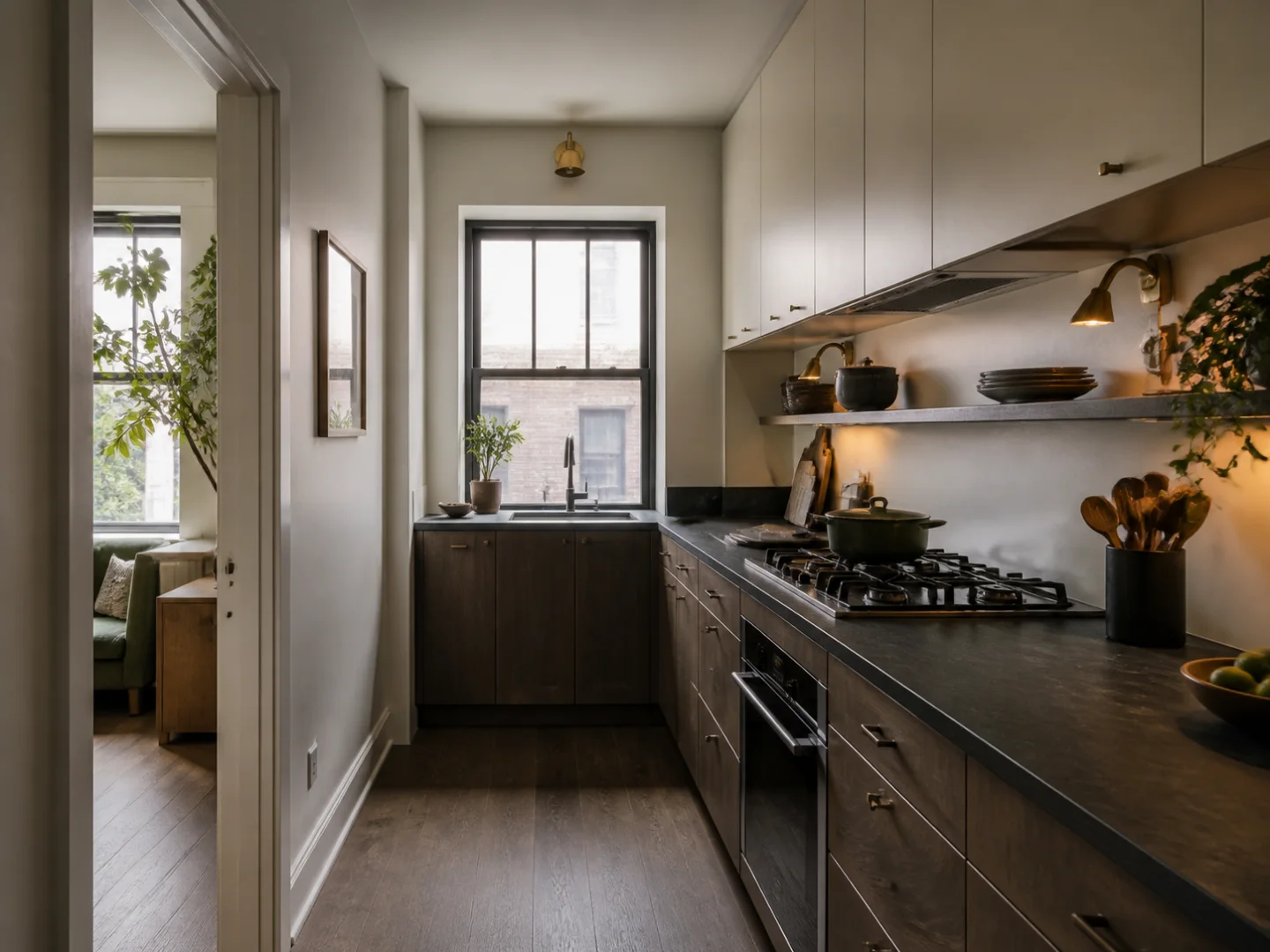
Kitchen style transfer example with layout guidance grid
Viewpoint and structure guidance

What the model interprets

What Interior Style Transfer Applies

The AI reads the reference as a group of visual signals, then uses your controls to decide which signals should influence the source room.

Color palette

Carries dominant tones, contrast, and accent colors from the reference into the new room direction.

Materials and texture

Interprets timber, stone, metal, fabric, plaster, tile, and other visible surface qualities.

Furniture language

Adapts silhouettes, proportions, upholstery character, and detailing without literally copying every object.

Lighting atmosphere

Borrows warmth, softness, contrast, and fixture character when source-light preservation is reduced.

Wall and floor finishes

Explores paint, paneling, flooring, rugs, and decorative treatments that support the reference style.

Layout guidance

Uses the source viewpoint and room structure as guidance; preservation is requested, not guaranteed exactly.

Reference-led design ideas

Use AI Interior Style Transfer to Compare Real Directions

A reference image can communicate material, color, and atmosphere faster than a list of style labels. Use it to test focused visual decisions in different rooms.

Warm contemporary living room for AI interior style transfer

Warm contemporary

Translate a layered living-room palette

Carry oak, stone, soft upholstery, and warm neutral contrast into the proportions of your own room.

Nordic Japandi bedroom style transfer inspiration

Nordic calm

Test a quieter bedroom language

Borrow pale timber, diffused light, restrained textiles, and uncluttered detailing without copying a room literally.

Modern Mediterranean dining room style transfer inspiration

Mediterranean modern

Move texture and warmth into dining spaces

Explore limewash, terracotta, aged timber, and sculptural lighting while retaining a practical dining layout.

Moody contemporary kitchen style transfer inspiration

Moody kitchen

Compare a darker material direction

Test charcoal cabinetry, stone surfaces, metal accents, and controlled lighting before committing to finishes.

A controlled two-image workflow

How AI Interior Style Transfer Works

The tool sends your room first and the style reference second, then turns your controls into a clear generation brief.

01

Upload the room to keep

Start with a well-lit image that clearly shows the walls, openings, floor, and major furniture placement.

02

Add the look to borrow

Choose a reference for its palette, materials, furniture character, lighting, or overall mood.

03

Set the balance and generate

Adjust transfer strength and preservation guidance, then review a 2K or 4K visual concept.

AI interior style transfer FAQ

Before You Transfer a Room Style

Practical answers about reference images, layout preservation, controls, rights, and result accuracy.

What is AI interior style transfer?+

AI interior style transfer uses one image as the source room and a second as the visual reference. The model attempts to apply cues such as color, materials, furniture language, and lighting mood to the source space.

Will it keep my room layout exactly?+

No image generator can guarantee exact geometry. Preserve Layout tells the model to retain the viewpoint, openings, circulation, and major placement, but you should treat the output as a visual concept rather than a measured plan.

What makes a good style reference image?+

Choose a clear interior photo whose palette, materials, furniture character, and lighting are easy to read. A reference with a similar room type and camera angle usually gives the model fewer conflicting signals.

What does transfer strength change?+

Transfer strength is converted into prompt guidance. Lower values ask for selected visual cues; higher values ask for a stronger reinterpretation. It is not a mathematical pixel-level blend percentage.

Can I use an image from Pinterest or a design website?+

Only upload images you own or have permission to use. A reference image is still processed by the AI provider, so check its license and avoid using private or copyrighted client work without authorization.

Can I use the result for a real renovation?+

Use the result to compare palette, material, furniture, and atmosphere directions. A qualified designer or contractor must still verify dimensions, structure, services, safety, codes, and product suitability.
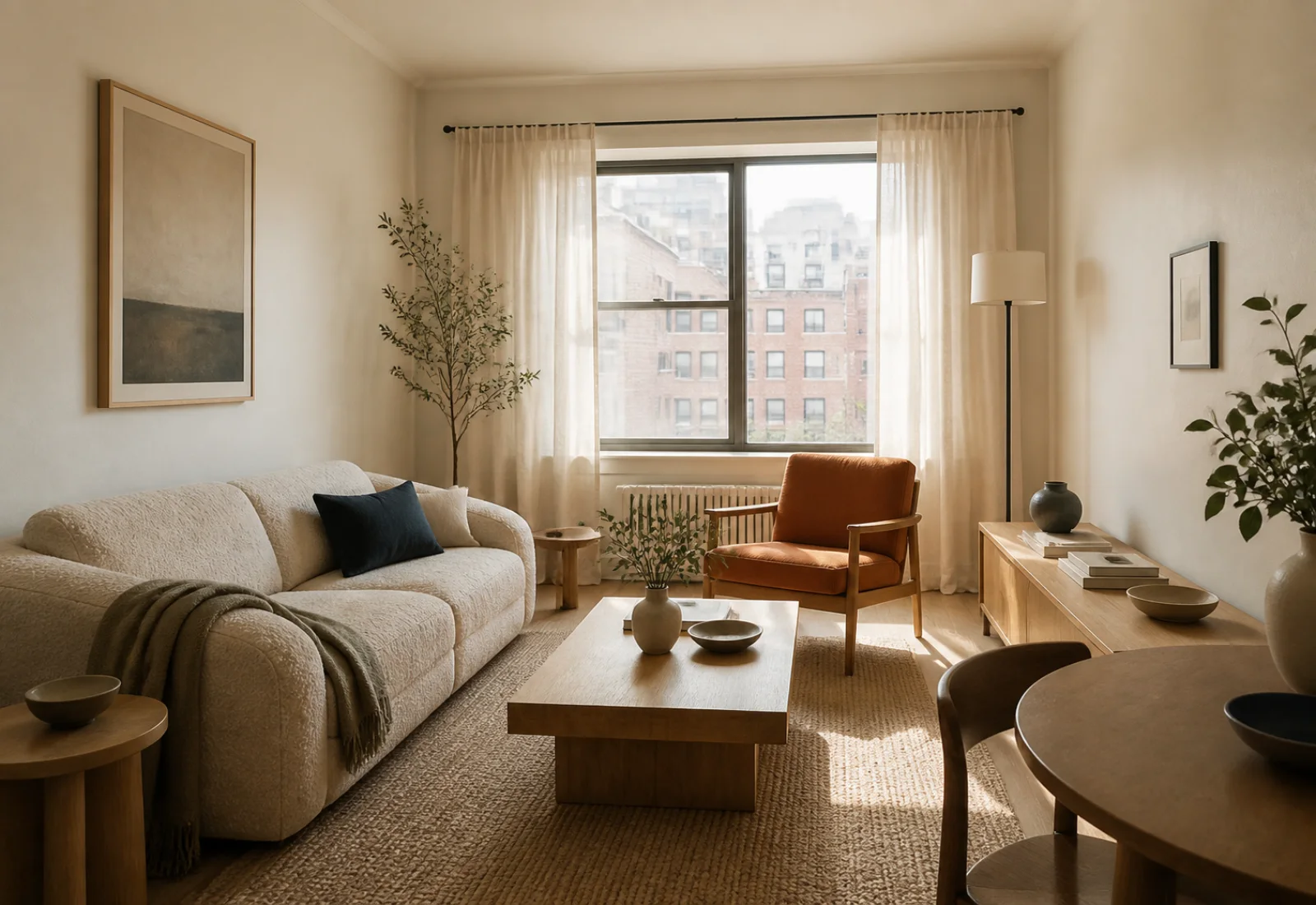
Turn a Saved Interior into a Direction for Your Room

Bring your own space and one clear reference. Generate a visual concept before you buy furniture, choose finishes, or brief a designer.

Start a Style Transfer

See generation credit costs